80 practical guides · updated regularly
AI Slides Playbook
Lesson plans into courseware, business plans into pitch decks, long reads into carousels — every article comes with a deck our AI generated from it, so you can see the result and do it yourself.
 Design & method
Slides from Meeting Notes: Turn Raw Minutes into a Decision Deck
Making slides from meeting notes means reorganizing, not copying. Use a 5-step method, a slide template and a privacy checklist to turn minutes into an update.
Nano Banana Slides: Make Slides with Gemini
Using Google's Nano Banana image models for slides as of November 2026: Google Slides, Gemini Notebook decks, infographics, and what you can edit.
Claude Skills for Presentations: A PPTX Guide
How to make PowerPoint slides with Claude as of November 2026: the built-in PowerPoint skill, custom brand skills, Claude for PowerPoint and Claude Code.
How to Make a PowerPoint with ChatGPT (2026)
Four ways to make a PowerPoint with ChatGPT as of November 2026: ChatGPT Work, ChatGPT Slides, the PowerPoint add-in or an outline, with plans and steps.
PPTX to Google Slides: Import & Fix What Breaks
Import a PPTX into Google Slides from Drive or with Import slides, then fix what breaks: fonts, SmartArt, animations, video, charts and tables.
 Design & method
Data Visualization in Slides: How to Pick and Simplify Charts
Data visualization in slides works when people get the point in seconds. Use our chart picker, 8 simplification techniques and a list of chart traps to avoid.
 Design & method
Presentation Font Pairing: 6 Combinations and a Size Scale
A practical guide to presentation font pairing: 6 heading and body combinations, a projector-friendly size scale, and how to stop fonts breaking on other PCs.
 Design & method
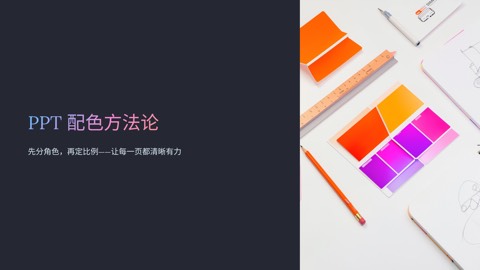
Presentation Color Palettes: 8 Schemes and the 60-30-10 Rule
Build presentation color palettes that look professional: apply the 60-30-10 rule, copy 8 hex-coded schemes by use case, and check contrast before you present.
Article to Presentation: How to Turn a Blog Post into Slides
Turn an article into a presentation: find the thesis and 3–5 points, give each slide one idea, rewrite paragraphs as titles and use Markdown headings.
 Design & method
One Idea per Slide: How to Split Crowded Slides (With Examples)
One idea per slide makes decks easy to follow: each slide answers one question under a full-sentence headline. Learn the headline test and a 5-step split.
AI Presentation from a Topic: How to Write the One-Sentence Brief
Make an AI presentation from a topic with a one-sentence formula: topic, audience, setting, length and focus. Plus weak vs strong examples and fact checks.
PDF to PPT Not Editable? 3 Ways to Get Editable Slides
PDF to PPT not editable? Learn why converters turn pages into pictures, how to diagnose your PDF in two minutes, and which of three fixes suits your file and deadline.
 Design & method
Prompts for AI-Generated Slides: A 7-Part Formula and Templates
Write better prompts for AI-generated slides with a 7-part formula: audience, goal, length, structure, material, tone and limits. Plus 6 ready templates.
 Design & method
Editable PPTX vs Image Slides: What Differs and When to Use Each
Editable PPTX vs image slides compared on 6 points: editing, sharpness, fonts, file size, search and teamwork, plus a 30-second test to spot fake decks.
Let AI make your next high-quality deck
Paste your content, pick a scenario and brand template, and get an editable PPTX in minutes.